Announcement Builder
Sending custom announcements with embeds to channels.
/announce
The /announce command allows you to build embeds to send to channels with a variety of options.
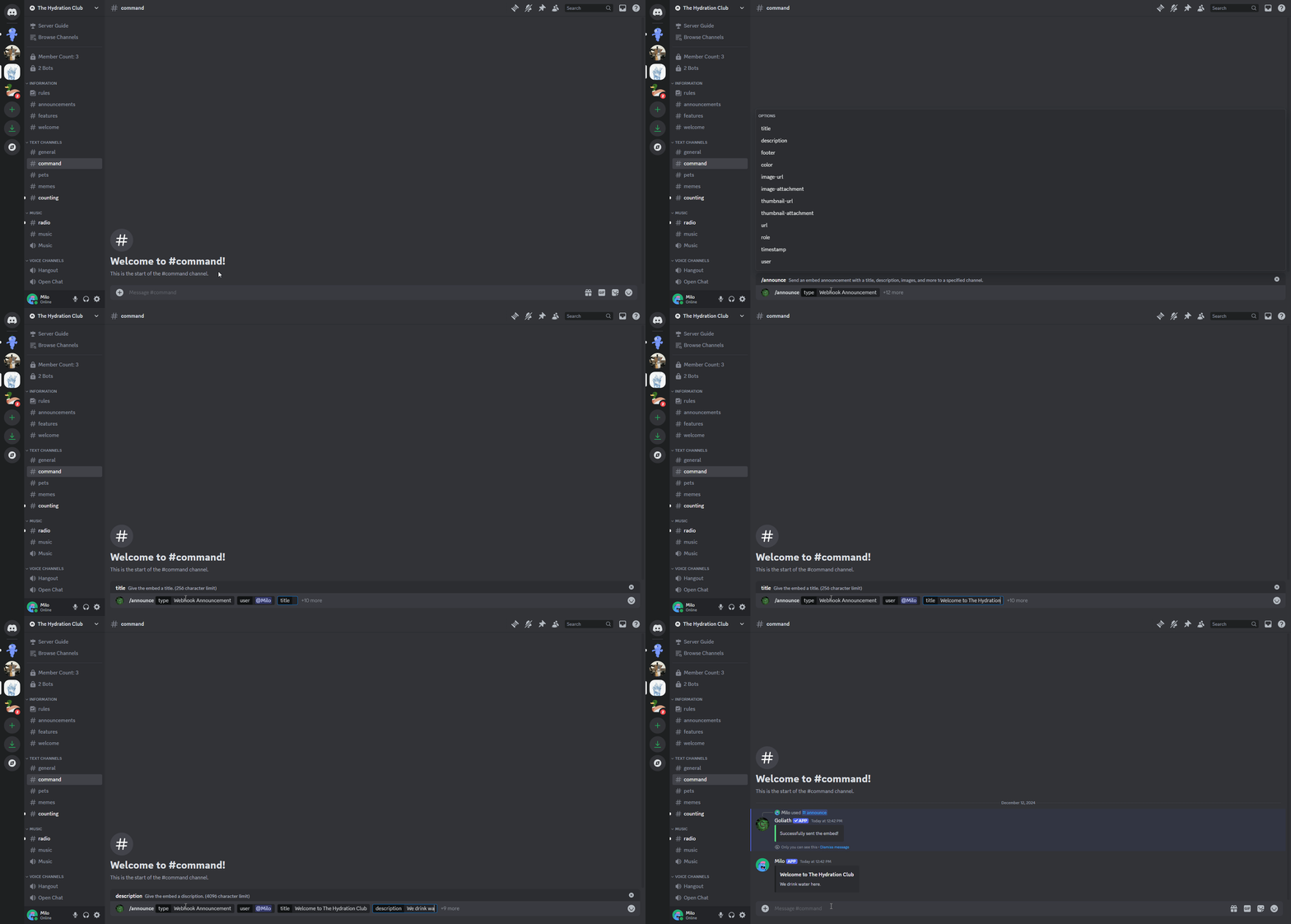
Options
Type
You can choose between a Regular Announcement which sends the embed as Goliath or a Webhook Announcement which allows you to choose a user that the App will look like.
Title
A title can be added which is shown at the very top of the embed, they can be a maximum of 256 characters long.
Description
Descriptions are shown below titles and can be a maximum of 4096 characters long.
Either a title or description is required for an announcement to be sent.
Footer
Footer text is optional but shows at the very bottom of the embed below everything else and can be a maximum of 2048 characters long.
Color
You can input a HEX color code to use for the color of the embed.
Image
You can either use the image-url option to input an image URL or image-attachment to attach an image to be shown in the main section of the embed.
You can only use one of the options, either url or attachment, not both.
Thumbnail
You can either use the thumbnail-url option for a URL or thumbnail-attachment to attach an image to be shown on the top right of the embed.
URL
You can make the title of the embed a clickable link by inputting a URL in the url option.
Role
If you would like to mention a role when the announcement is sent, you can select a role to ping in the role option.
Timestamp
You can show an additional timestamp in the footer by setting the timestamp option to True.
User
This option is specific to the Webhook Announcement type and is used to change the user that the Webhook will look like.
If no user is selected when using the Webhook Announcement type, by default the webhook will copy the look of your avatar and nickname.