Playback Control
How to listen to music and add tracks to the queue.
/autoplay
You can enable autoplay by running the /autoplay on command. You can disable autoplay by running /autoplay off.
Autoplay will automatically add new songs to the queue based on the songs in the queue.
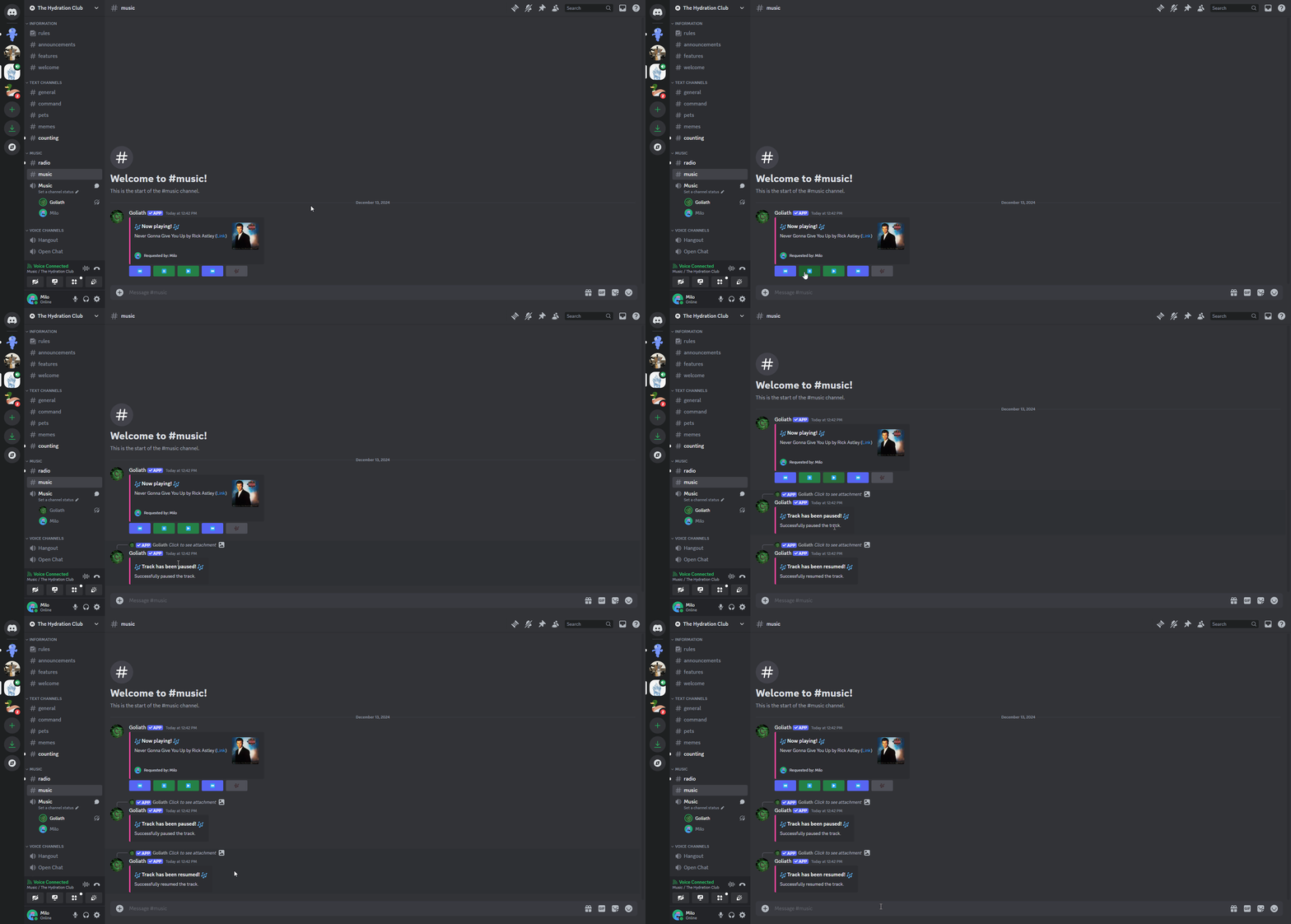
/pause
You can pause the music by running the /pause command or by clicking the pause button.
/play
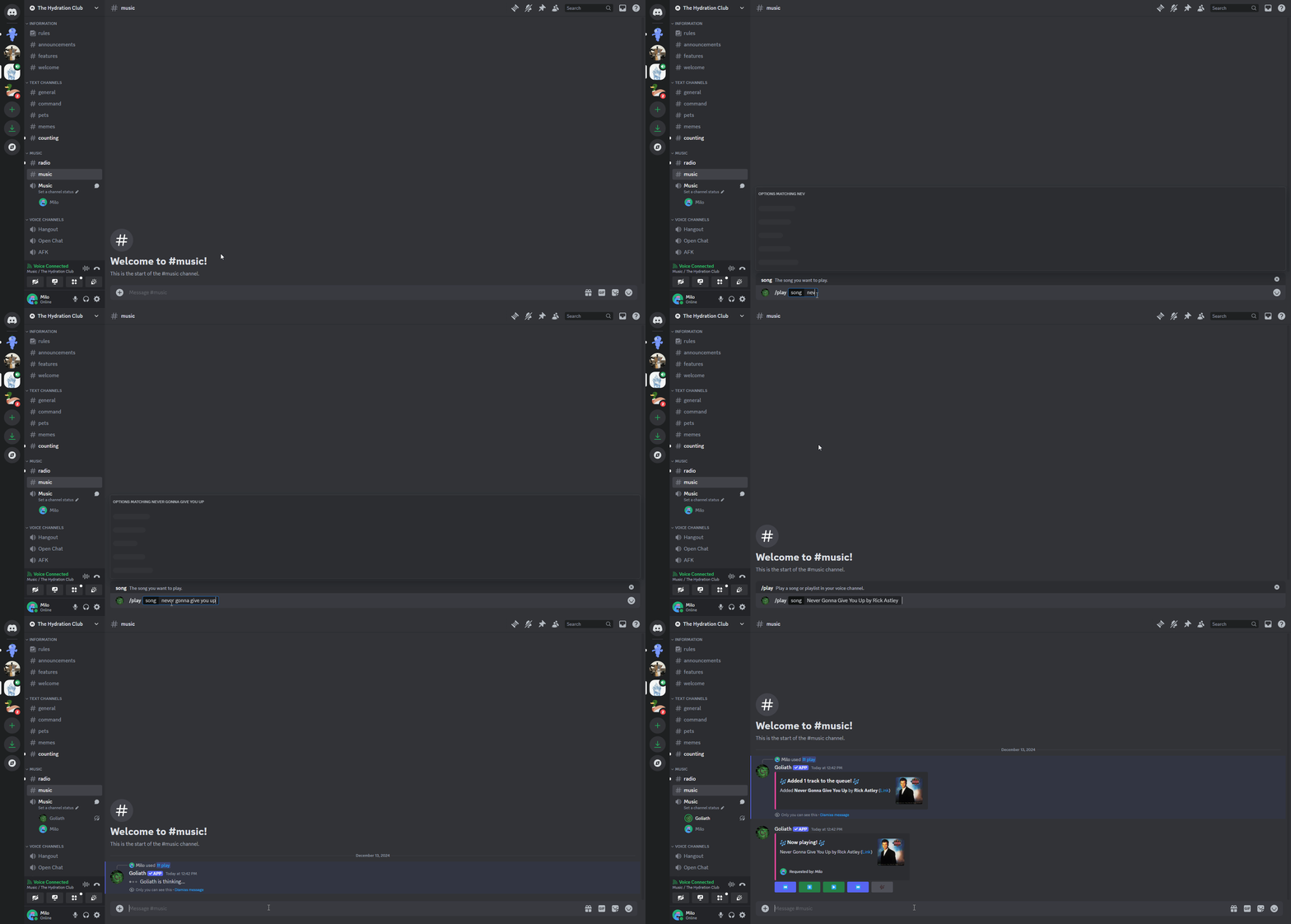
You can easily search for music by running the /play <query> command and typing in the name of the song or artist you want to search for.
You can also input a link to a song or playlist to play it.
/previous
You can go back to the previous song by running the /previous command or by clicking the previous button.
/repeatmode
You can change the repeat mode by running the /repeatmode <mode> command and typing in the mode you want to change to. To turn off repeat mode, run /repeatmode off.
The available repeat modes are:
queue- Repeat the entire queue.track- Repeat the current track.
If you want to know what the current repeat mode is, run /repeatmode get.
/resume
You can resume the music by running the /resume command or by clicking the resume button.
/seek
You can seek to a specific point in the song by running the /seek <time> command and typing in where you want to seek.
The seek command accepts seconds, minutes, and hours in the format HH:MM:SS. For example, /seek 1:30 will seek to 1 minute and 30 seconds into the song.
You can also use only seconds to seek to a specific second in the song. For example, /seek 65 will seek to 1 minute and 5 seconds into the song.
/skip
You can skip the current song by running the /skip command or by clicking the skip button.
/skipto
You can skip to a specific song in the queue by running the /skipto <song> command and typing in the number of the song you want to skip to.
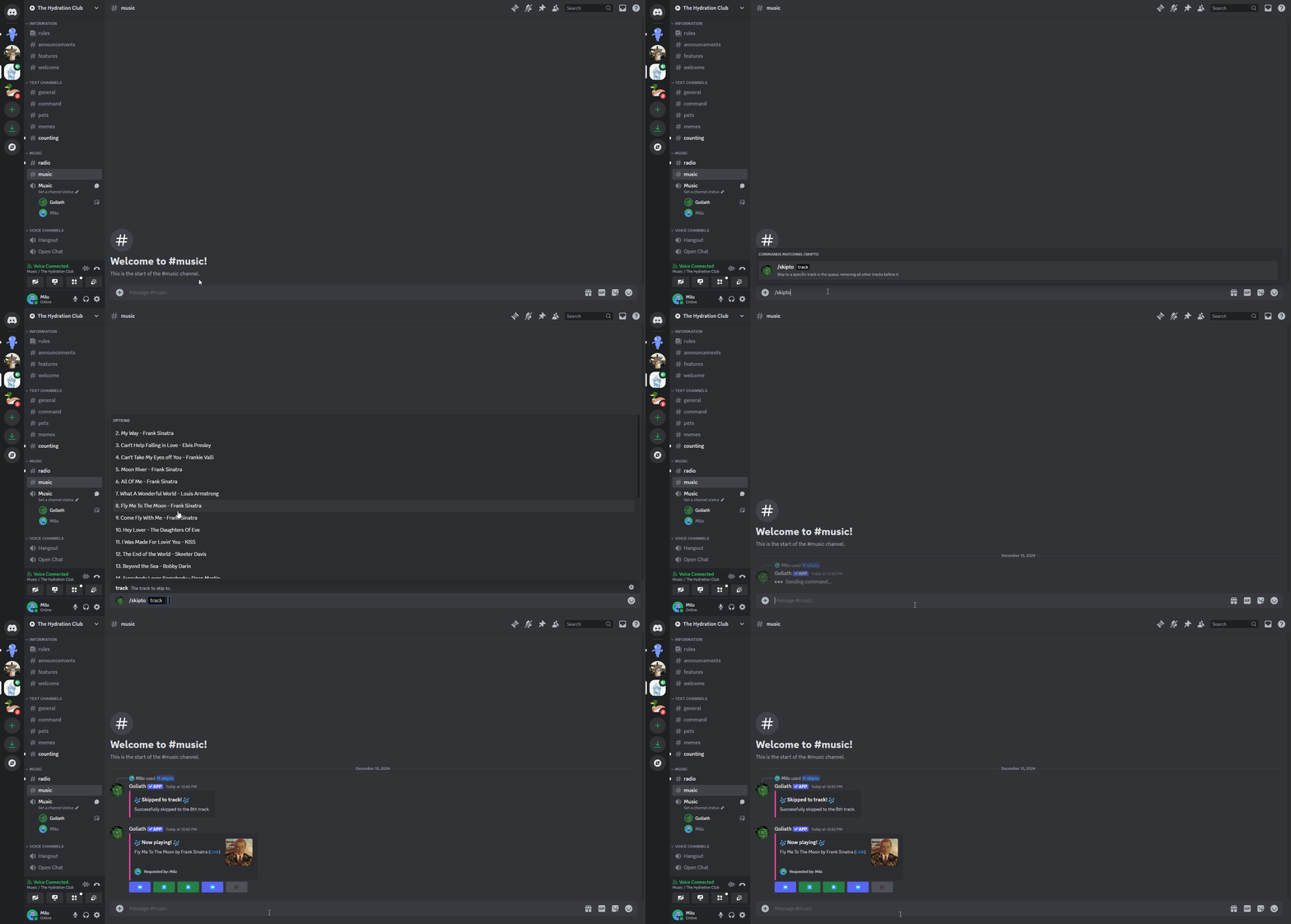
The /skipto command autocompletes all of the songs in the queue, you can skip to a song in the queue by clicking on it in the autocomplete list.
/volume
You can change the volume by running the /volume <volume> command and typing in the volume you want to change to.